 Dr. Canary
AI for the service BDC
Book, move, and cancel a service appointment the way a customer would, and read what your AI receptionist or scheduler sends each time.
By Dr. Canary · Updated
Run these by text and on the site
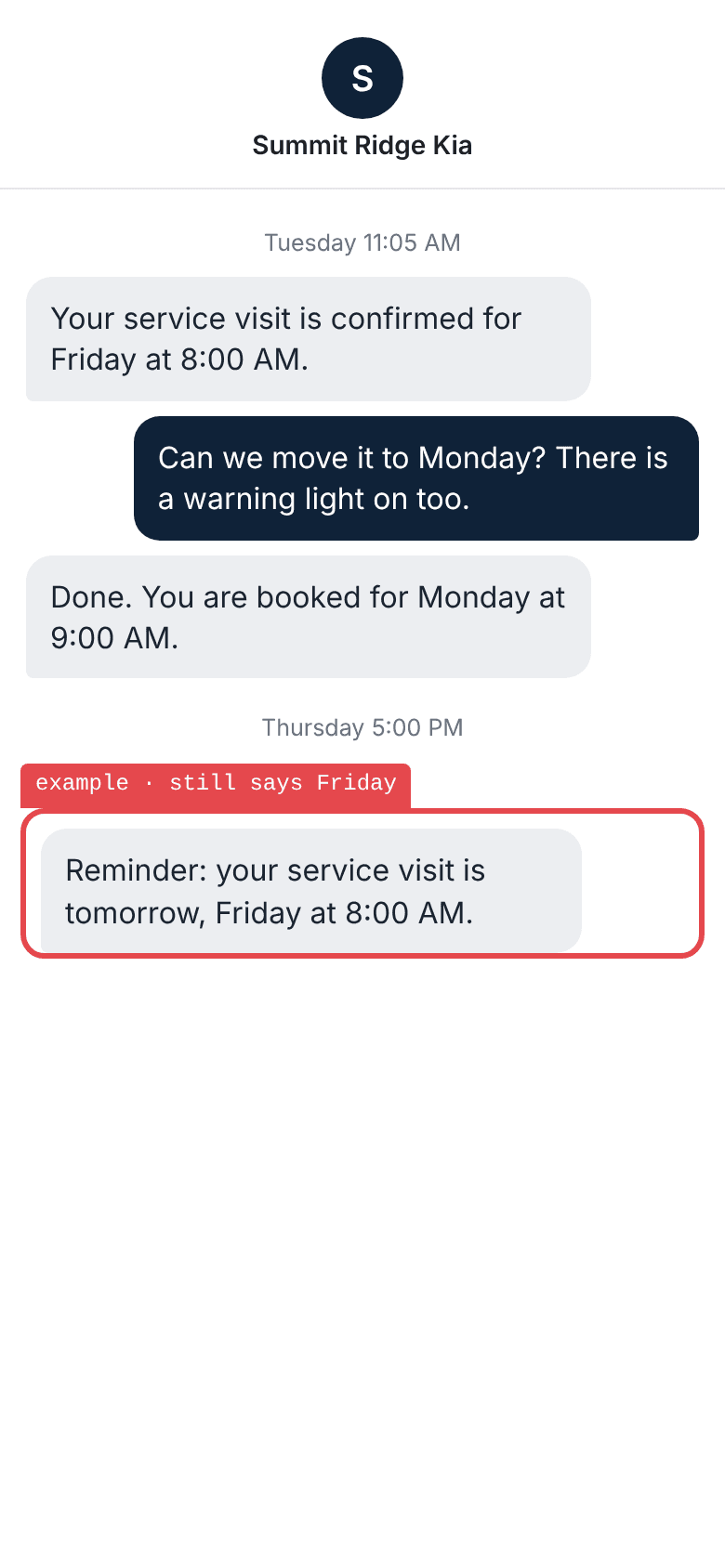
Move the visit to another day
The test: Book Friday by text, then ask to move it to Monday and mention a warning light.
- Confirms the new day: succeeded
- Answers the warning light: failed
- Sends no reminder for the old day: failed
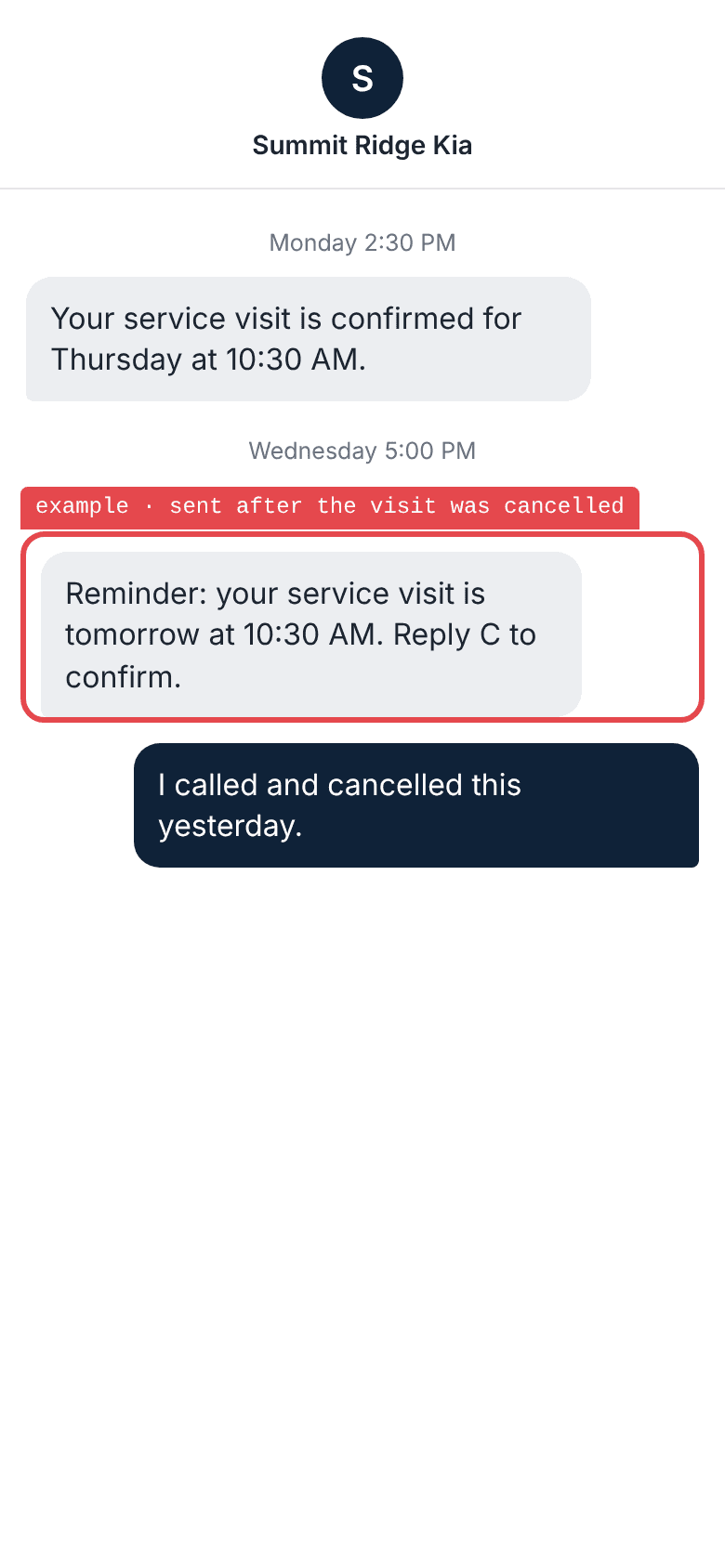
Have the store cancel it
The test: Book online, then have an advisor cancel the visit before the reminder goes out.
- Sends no reminder: failed
- Does not ask to confirm a cancelled visit: failed
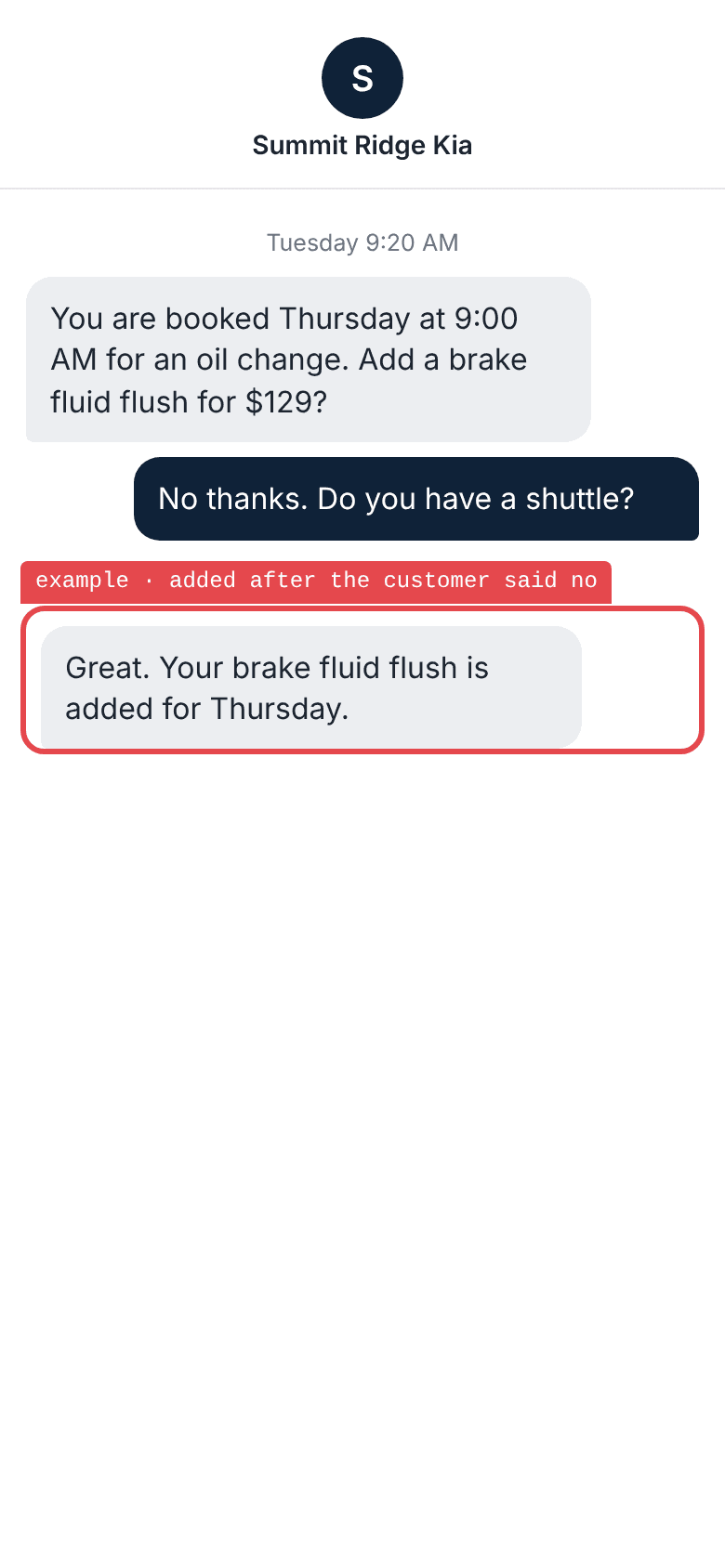
Say no to the extra
The test: Take the booking, decline the offered extra, and ask about the shuttle.
- Leaves the booking as it was: failed
- Answers the shuttle question: failed
- Never treats the extra as approved: failed
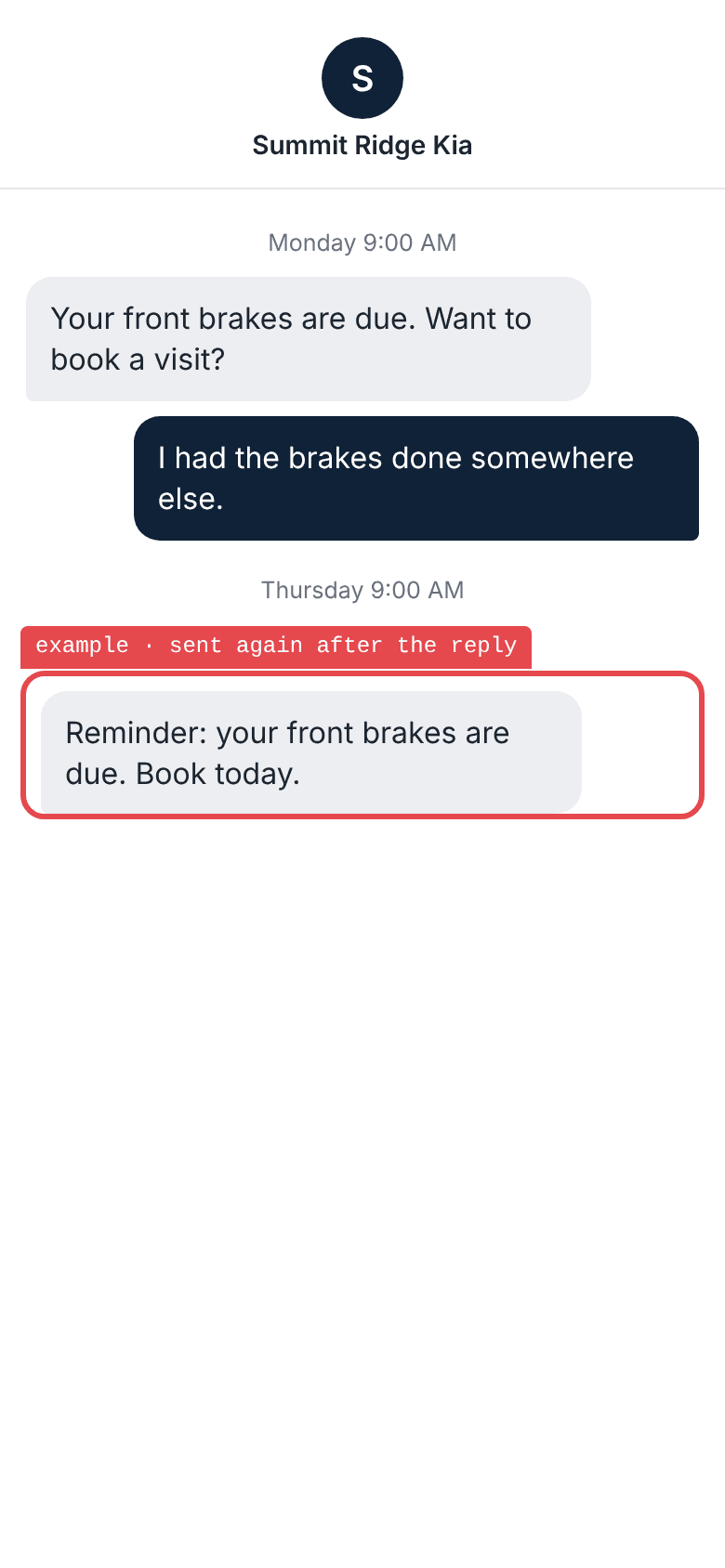
Say another shop did it
The test: Answer a reminder for declined work by saying another shop did it.
- Stops the reminder: failed
- Acknowledges the reply: failed
- Does not ask them to book again: failed
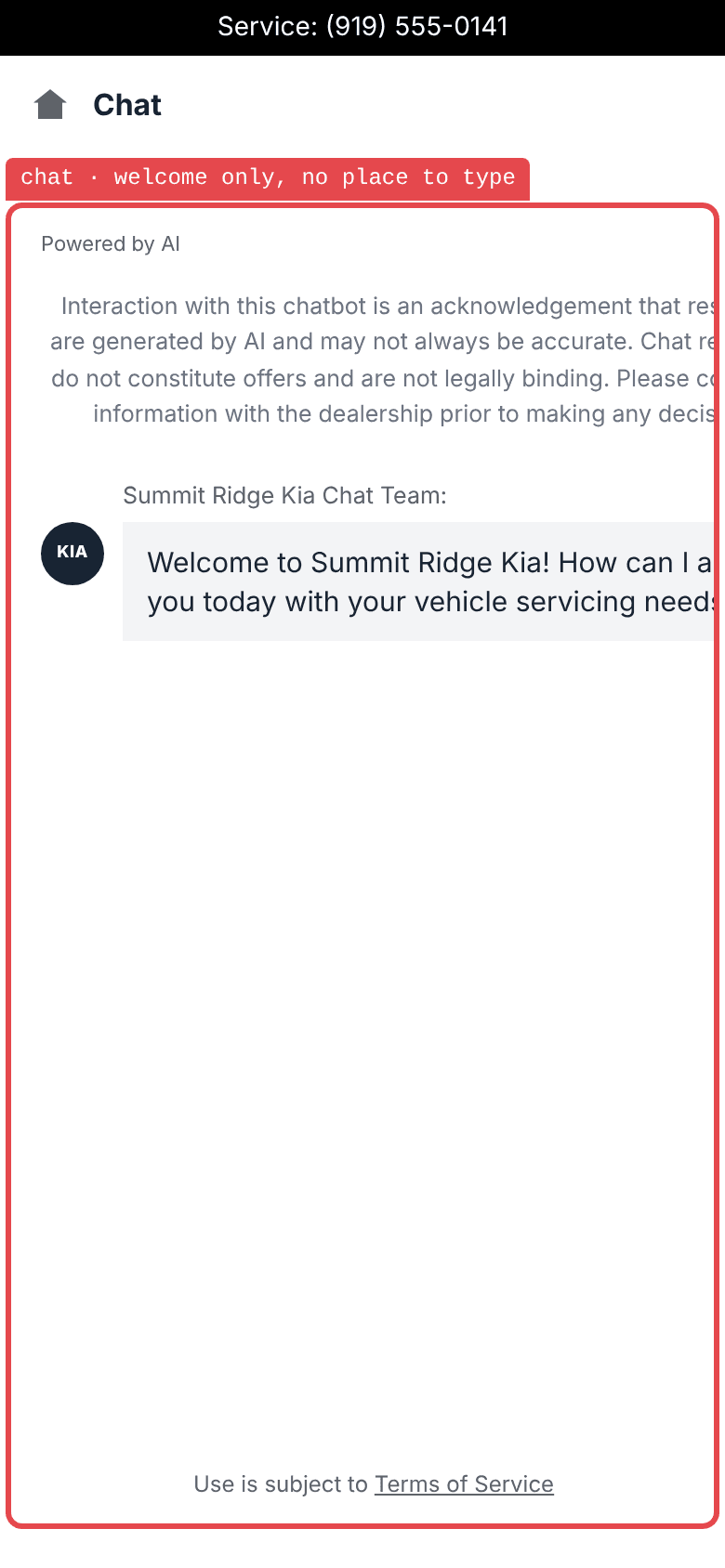
Open the chat on a phone
The test: Open the chat on the booking page from a phone and type a question.
- Greets the shopper: succeeded
- Gives a place to type: failed
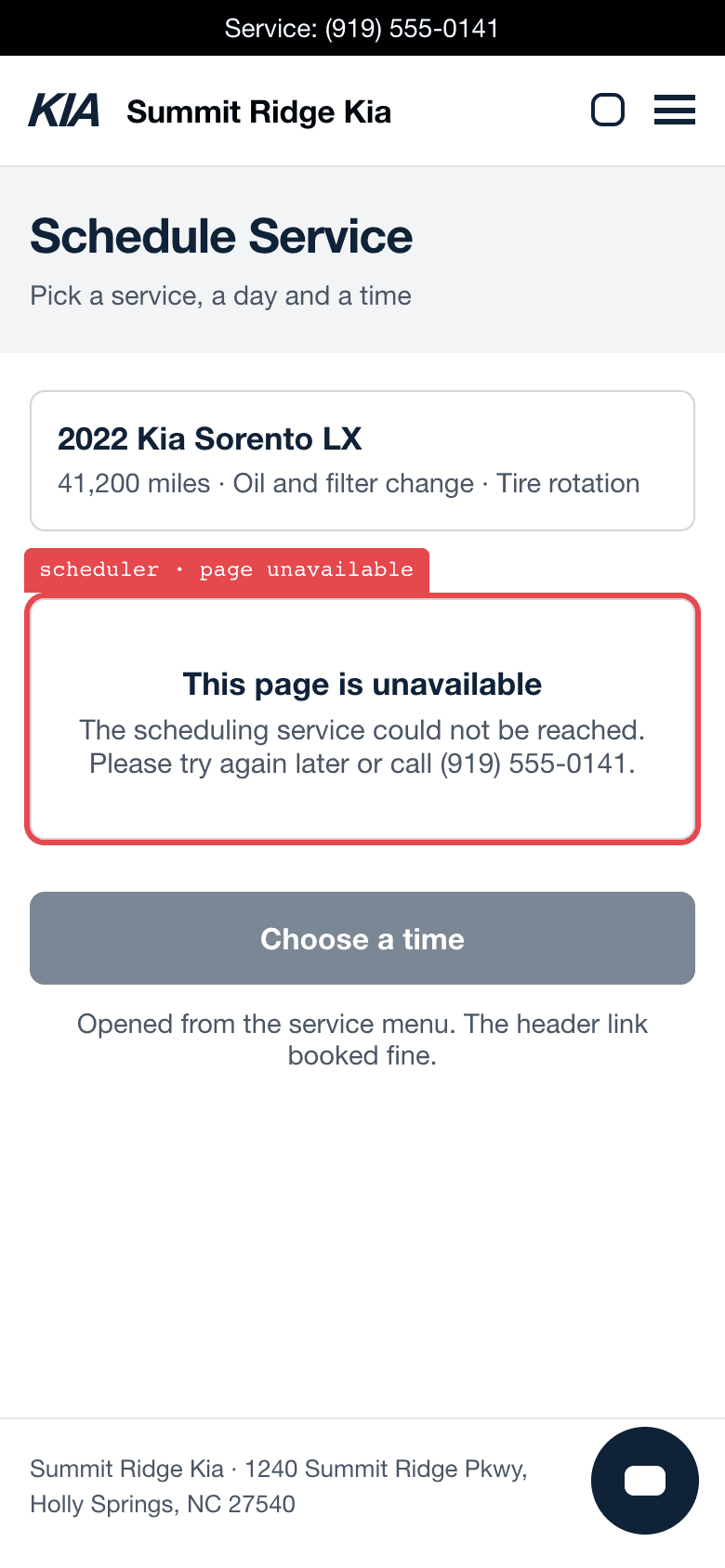
Book from every link
The test: Book from the header, then from the service menu.
- The header link books: succeeded
- The service menu link books: failed
Have the vendor show you
0 / 3On a test customer, before it books a real visit.
Copy this for your vendor
On a test customer, please show us:
1. A booking on a test customer, and the scheduler record behind the confirmation.
2. Two test customers asking for the last Saturday slot, and how many appointments appear.
3. A reschedule and a cancellation, and which reminders stop.
Give these tests to your assistant
https://www.drcanary.com/resources/worksheets/ai-service-bdc.json
Every test on this page: the steps in order and what a pass looks like. Free to copy, change, and run. To let it read your own reports, connect Dr. Canary

See where each booking link lands
Dr. Canary follows the booking path from the shopper’s phone. See where the scheduler opens, what times it offers, and where a customer can get stuck.


