 Dr. Canary
AI in your toolkit
These pages help you get the most out of AI for your customers and your business.
Whether you buy it, switch it on, or build it.
By Dr. Canary · Updated
Where AI shows up at a store
Here are six places dealers use AI today. Each comes with a check to try at your store. The captures from Dr. Canary inspections show the customer problems to look for.
AI for the sales BDC
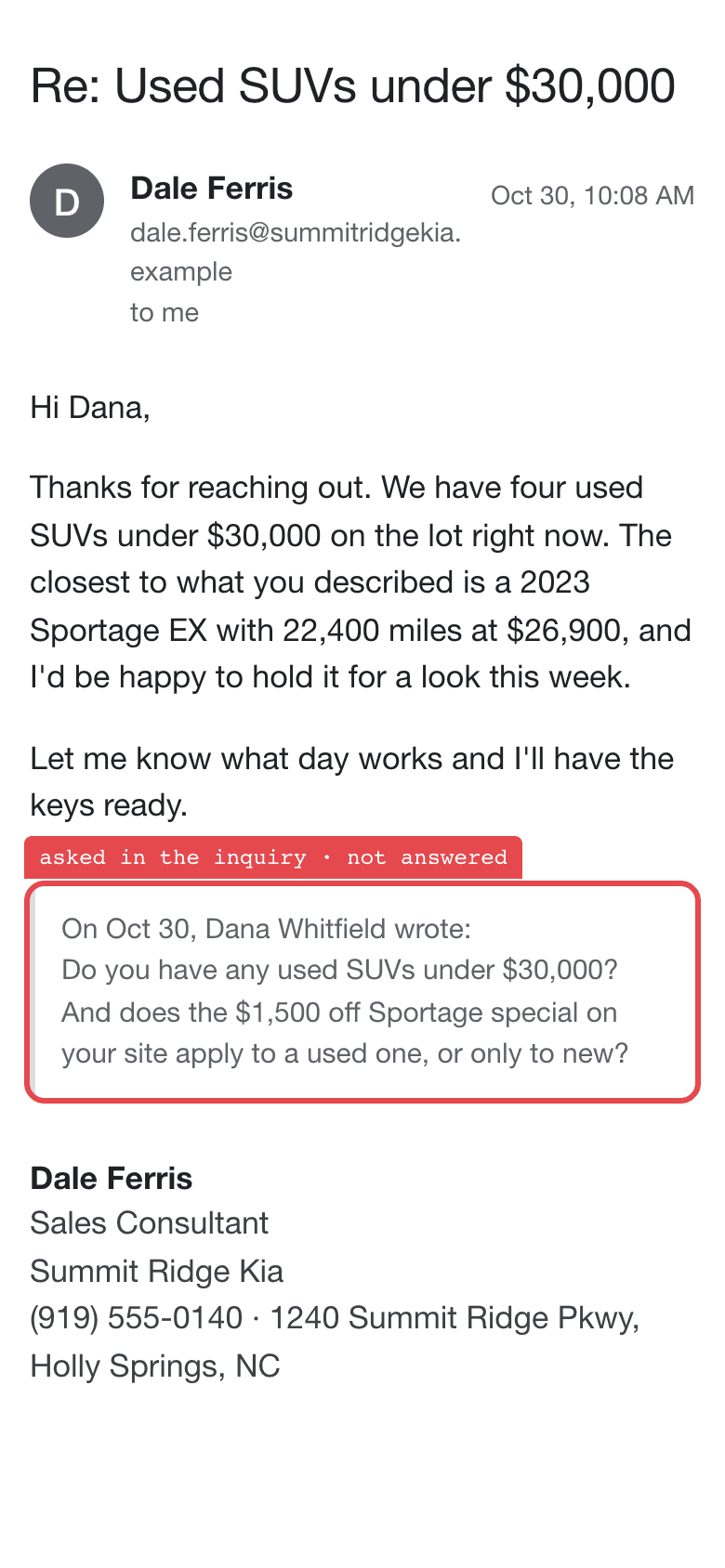
Replies to internet leads after hours.
The check: At 9 pm, ask about a unit that sold at noon. Read the reply.
AI for the service BDC
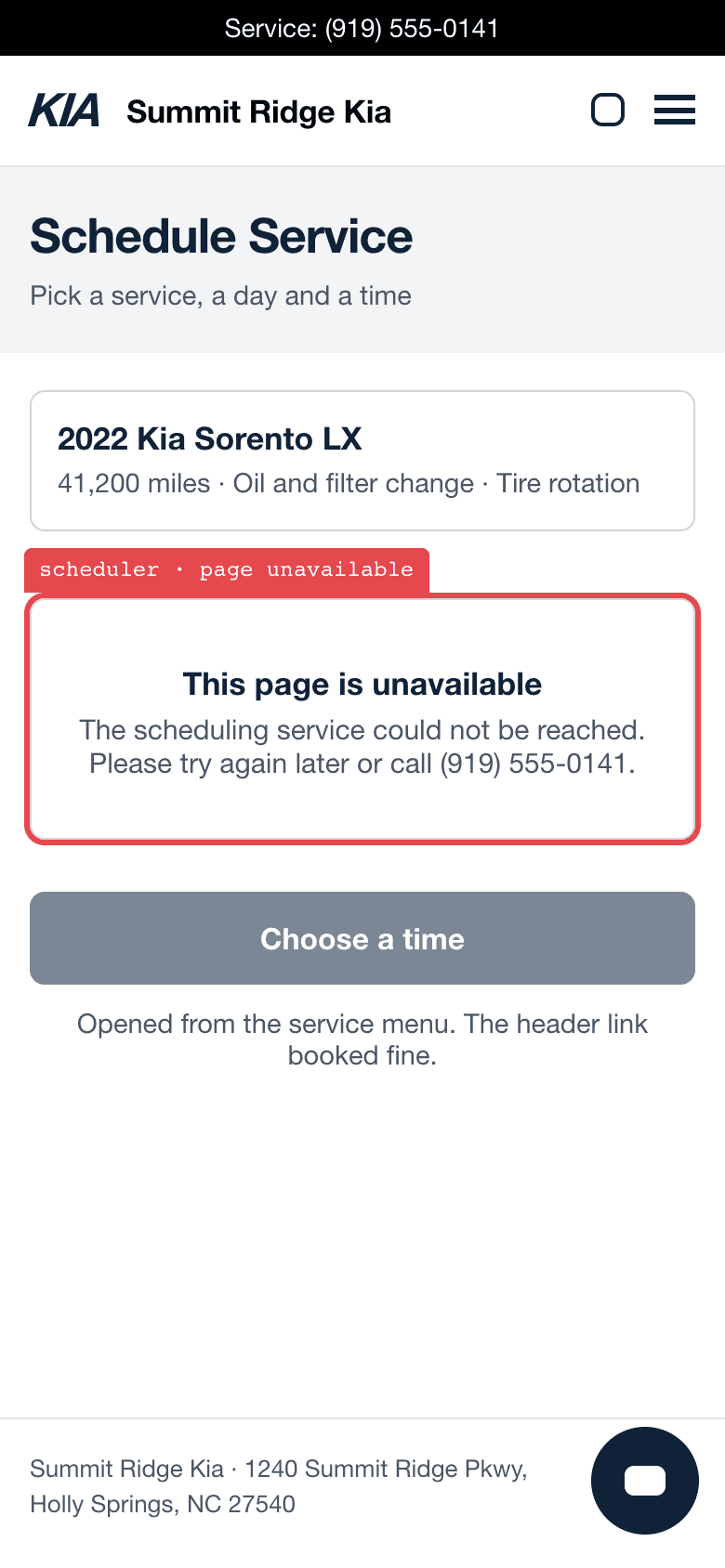
Books and reminds, by text and by voice.
The check: Book from a phone after hours. Compare the confirmation to the scheduler.
AI chat on the website
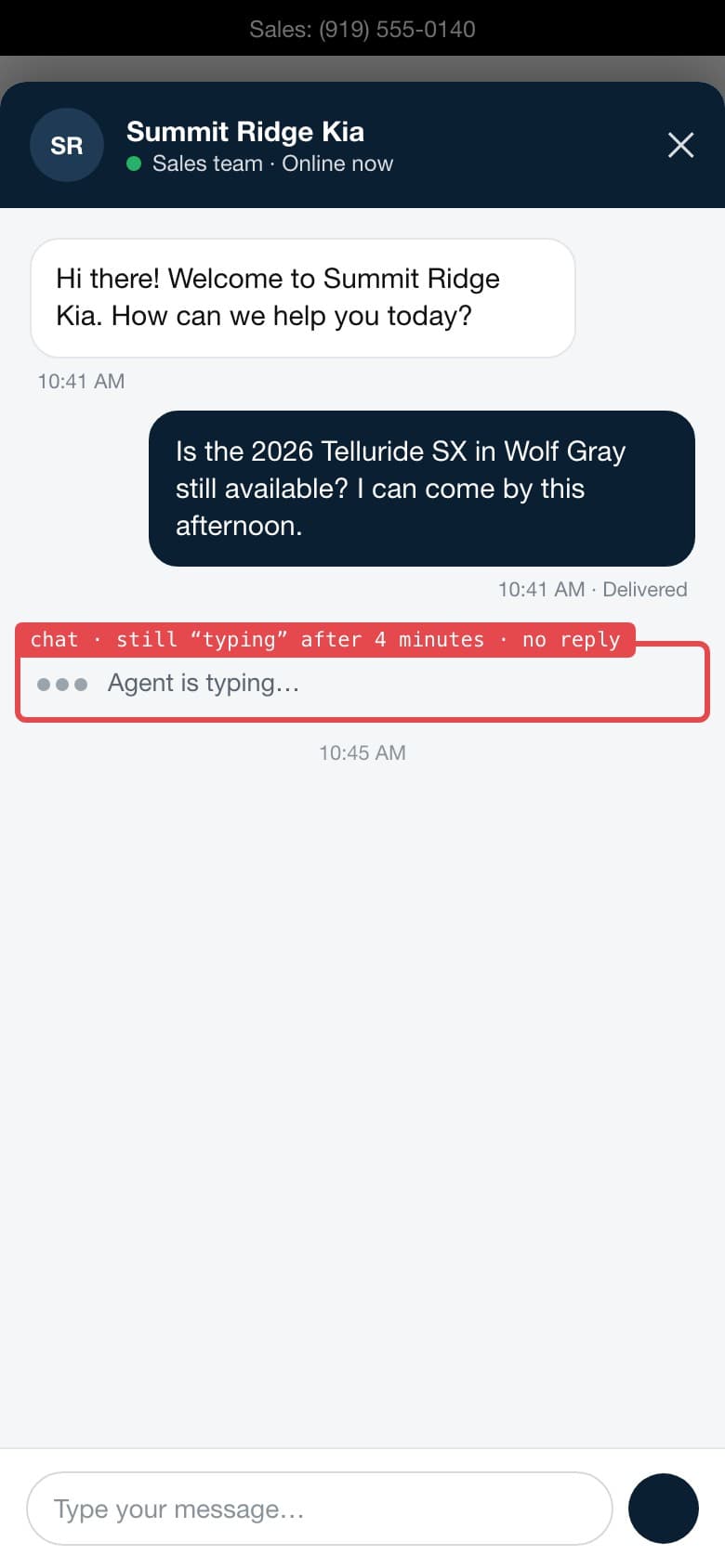
Answers website questions and captures leads.
The check: Ask about a unit that sold this morning. Then find the lead.
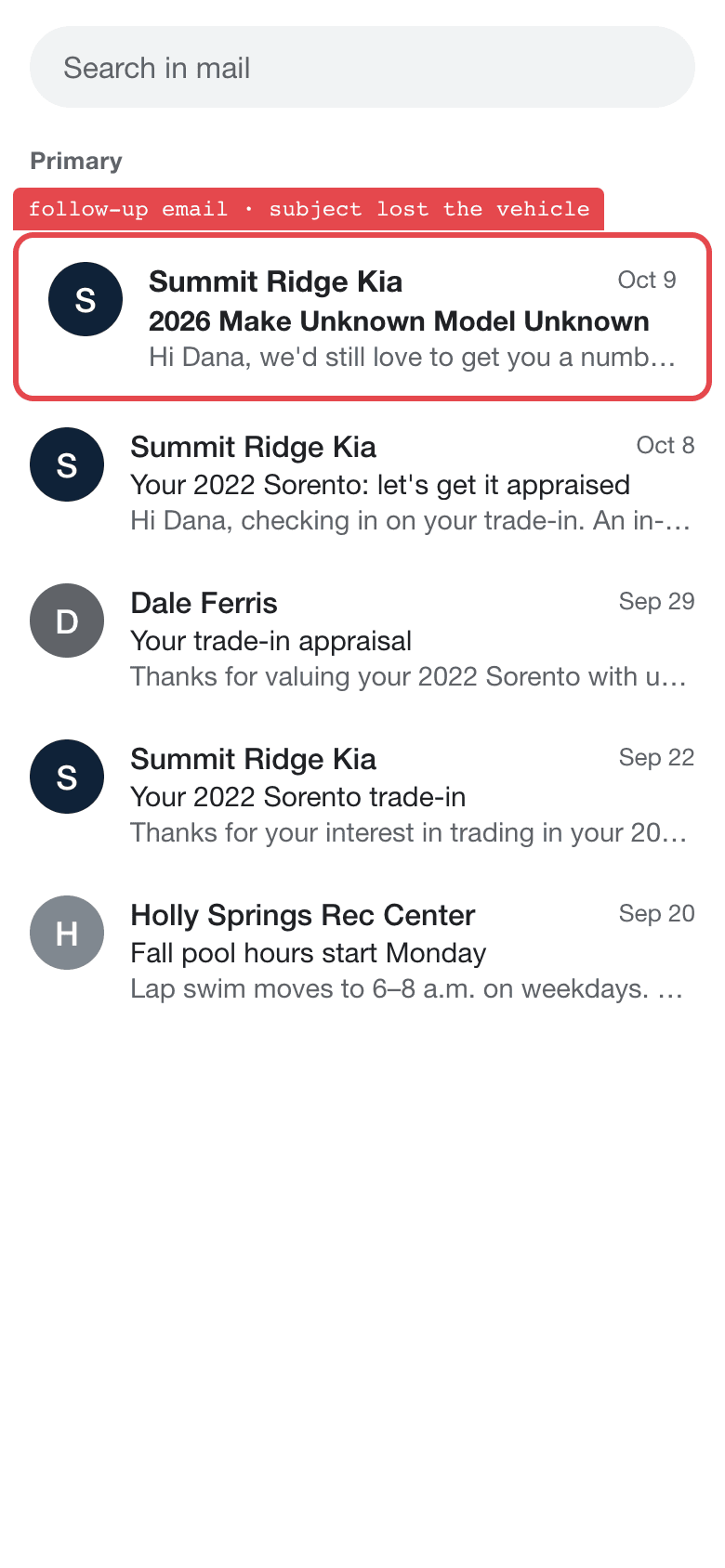
AI messaging
Drafts and sends campaigns, reminders, and inquiry sequences.
The check: Read everything one customer got in a week, in order.
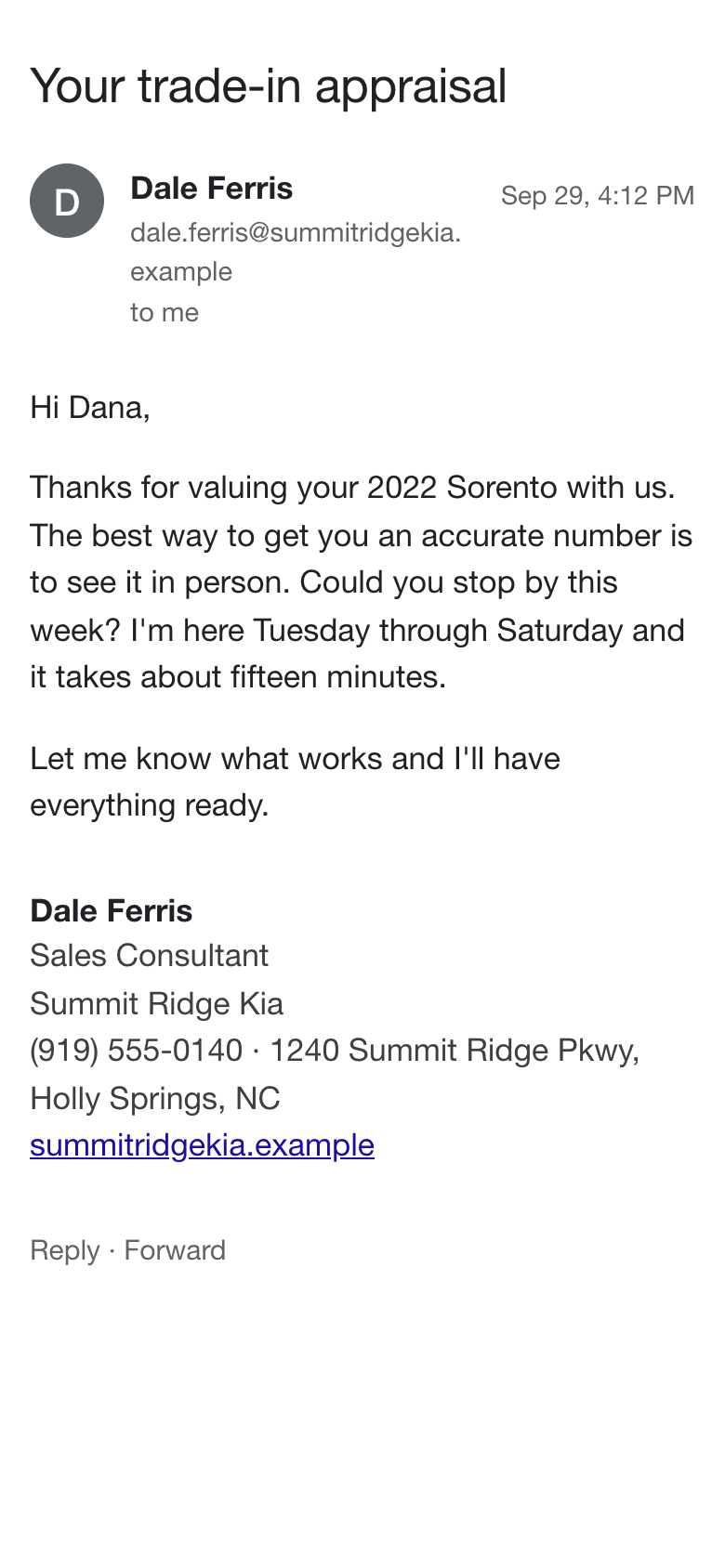
AI follow-ups
The next message after a reply, or after silence.
The check: Read day seventeen in the shopper’s inbox, not in the console.
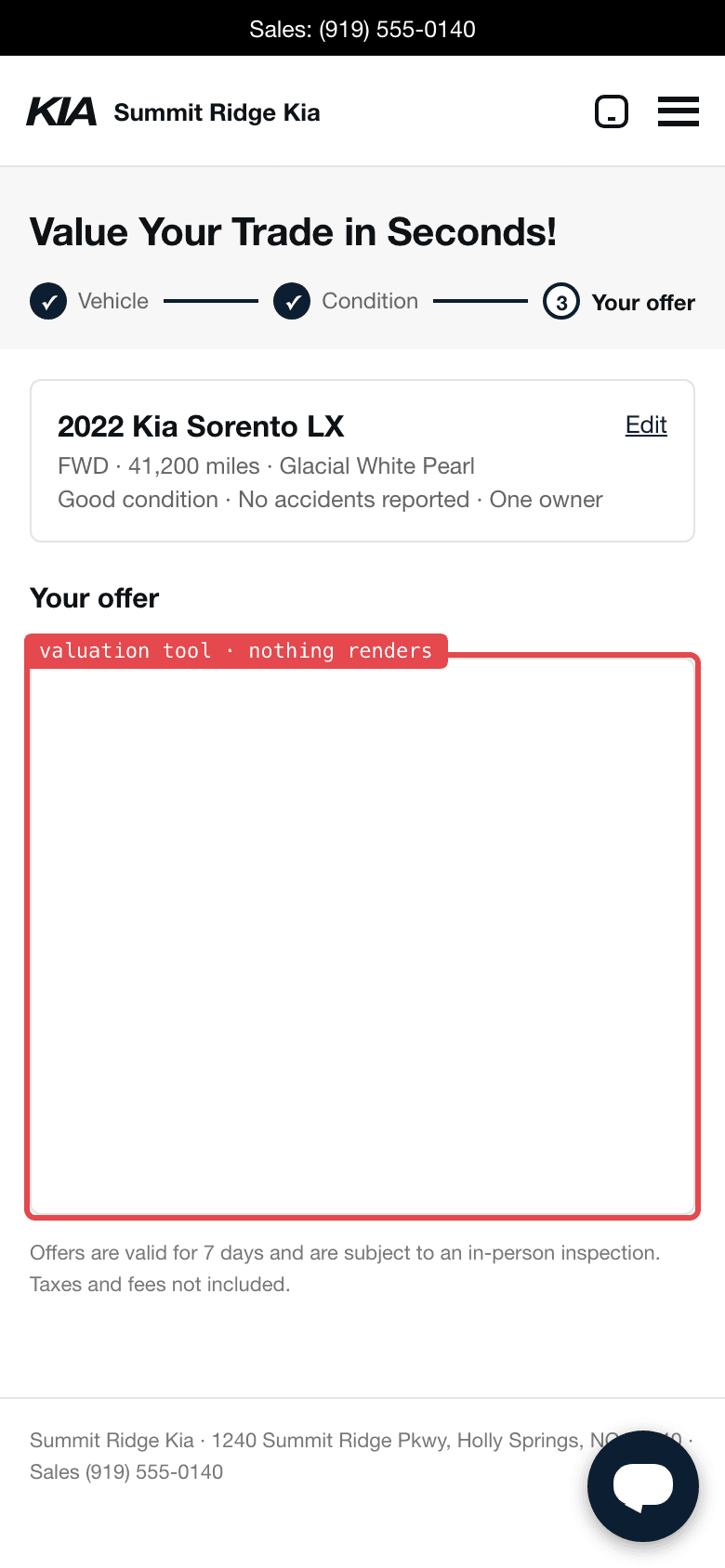
AI on trade and parts answers
Supports trade estimates and parts answers by VIN.
The check: Follow every button from a phone. Keep the page it opened.
Four ways to bring it in
Who will run the tool once it’s live? Your store and a vendor can each own part of the work, or the vendor can take over a job your team handles today.
Buy
A product you buy or an AI feature inside a tool you already use.
Check: Confirm the vendor’s controls, your responsibilities, and the remedies in the contract.
Build
Your team or an assistant builds around one job the store knows well.
Check: Assign ownership across your code, data access, and any managed services.
Buy and build together
Your vendor sends service reminders. Your team keeps its own tool to draft them in the customer’s preferred language.
Check: Who owns the draft, and what stops the vendor from sending it if the appointment is canceled?
Build now, buy later
Your team drafts bilingual reminders until a vendor can handle that job. Once its drafts pass the same tests, retire your tool.
Check: At the switch, who moves the pending reminders and retires the old queue so each customer gets one message?
Weigh the gain against the risk
What would this make easier for your customers or your team? Weigh that against what could go wrong. Drafting a reply for a service advisor carries a different risk from promising a customer a Saturday appointment.
The customer relationship
Wrong answers and conflicting follow-ups reach the customer in your store’s name.
Liability
Check who can promise prices, availability, or appointments, and what the terms cover.
Cybersecurity
Models, code, hosting, accounts, and vendor access all need controls. Limit CRM and DMS permissions and name an owner for each connection.
It shifts as you build
Responsibility follows the architecture and contract. Map what your team operates and what each vendor operates.
Before go-live
- Save the reply or booking a test shopper gets today. Name the person who can verify the matching CRM or scheduler record.
- Rehearse an ordinary request, then change one fact: the car sells, the slot fills, or the shopper opts out. Agree on the expected result for each.
- Decide who reviews the first live outcomes, who can pause the tool, and how a customer reaches a person.
On launch day
- Repeat the same inquiry on the live site from a phone. Match the customer’s message or confirmation to the store record.
- If the two disagree, pause the affected action and hand the request to staff. Replay that case after the fix.
After go-live
0 / 4Set a review interval that fits how often the tool acts, how many people it reaches, and what a wrong answer costs.
The checks, to copy
1. Assign someone to read the full follow-up sequence and check handoffs.
2. Compare a sample of customer replies with the inventory, CRM, or scheduler records behind them.
3. Repeat the edge cases after changes to the tool, its data, or its permissions.
4. Compare customer outcomes, staff time, and cost with the prelaunch baseline before expanding.

See what your customers see.
A Dr. Canary checkup gives you a shopper’s view of your website before launch. Scheduled inspections let you see what changes once the tool is live.