Dr. Canary

How do you know a dealership lead form works?
Run an authorized test. Check the on-page result, destination receipt, and shopper response separately.
Your next check.
0 / 6Use this while you test. Checks stay on this page until you reload.
A vendor ticket you can actually use
Lead form check
Page and form: [URL, name]
Tested: [date, device]
Request: [question; omit personal details]
On-page result: [result]
CRM/inbox receipt: [confirmed or unverified]
Automatic reply: [result, time]
Human answer: [result, time]
Evidence: [redacted captures]
Retest: [same form and outcome]
Test each form separately.
General contact, vehicle pricing, trade valuation, and service may use different tools. One accepted submission does not establish that all of them work.
Use a controlled address, a specific request, and an agreed test window. Record the starting URL, form name, and exact on-page result.
Follow the handoff.
A thank-you page proves an acknowledgment. Check your CRM or inbox to establish receipt, then inspect the automatic and human responses the shopper receives.
Keep timestamps for each stage. A quick automatic reply can still leave the actual question unanswered.
Retest the original failure.
Give the responsible vendor the same form, input path, and dated capture. After a change, repeat the submission and verify both receipt and response.
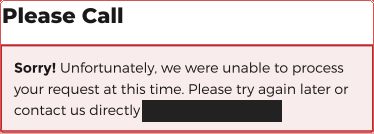
An explicit processing error establishes that attempt’s outcome. A CAPTCHA or network restriction may instead leave the test inconclusive.
Run your numbers.
Use the sales calculator to explore a scenario using your own inputs.
Open the calculator ↗