Dr. Canary

What should you test before increasing dealership lead spend?
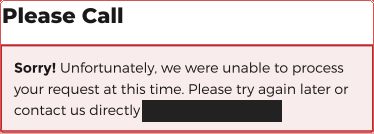
Test the exact landing page and form your campaign uses. Check submission, receipt at the intended destination, and the delivered answer separately. A success message proves only what happened on that screen.
Your next check.
0 / 6Use this while you test. Checks stay on this page until you reload.
The lead-path worksheet
Lead journey review
Source and intent: [campaign URL, vehicle or service, CTA]
Submitted question and time: [exact details]
On-page result: [accepted, error, unverified]
Destination receipt and owner: [team-verified record or unknown]
Context retained: [source, vehicle, question, preference]
Conversation: [useful answer, material, later touches]
Engagement and handoff: [customer action, next owner, open questions]
Team-record outcome: [booked, canceled, rescheduled, no-show, attended, completed work, sale, unknown]
Optional service: [offered, accepted, authorized, completed; record source]
Gap and retest: [owner, route, observed result]
Match the source to the intended conversation.
Start on the actual campaign landing URL, device, and CTA. A vehicle-price request, trade-in valuation, and service booking need different context and different owners. Save the entry promise and the submitted question.
Check each path separately. A working general-contact form does not establish that an offer form works; an error in one attempt does not establish a site-wide outage. Access restrictions or unobserved steps require investigation.
Follow receipt into ownership and follow-up.
Ask an authorized team member to find the exact inquiry in the intended destination. Compare its source, vehicle, question, and contact preferences with the submission. Record who owns the next action, including any sales-to-service or BDC-to-salesperson handoff.
Read the delivered sequence against that context. Does sales follow-up help the shopper decide and prepare for a visit? Does service follow-up educate before arrival and offer appropriate choices? Track how questions and accepted options reach the next owner; mark unavailable internal steps unverified.
Measure each step without collapsing the funnel.
Count attempted submissions, accepted submissions, verified destination receipts, useful responses, and confirmed appointments separately. Join them to the same inquiry before comparing performance by source. Actual visits and sales need the dealership’s outcome records.
Use your own traffic, lead, and conversion inputs in the sales calculator. These inspections reveal specific customer-path problems; they do not establish how many sales were lost or forecast the result of buying more traffic.
Run your numbers.
Use the sales calculator to explore a scenario using your own inputs.
Open the calculator ↗