Dr. Canary
What are you being asked to approve?
Start with the vendor questions for your situation. Keep the answers with the agreement.
- Buying a new product
- Ask the vendor to demonstrate what it can read and do with a test account before you sign.Questions before you buy
- AI added to an existing tool
- Find out whether it is already talking to customers. Ask to see the first message it sent and the setting that enabled it.Questions about an existing feature
Before go-live, rehearse the customer’s job
Pick one job, such as booking Saturday service. Before enabling the tool, walk the current path from a phone and save what the shopper sees. Rehearse the change with the vendor on test records. Keep an action off until it passes or a staff member can safely handle it.
- An ordinary booking
- Choose an open slot. The test phone should receive the same time and store location that the advisor sees in the scheduler.Questions for a booking tool
- A slot disappears
- Take the slot in the test calendar just before the shopper confirms. The tool should offer another time and leave the original slot unconfirmed for this shopper.
- A shopper changes their mind
- Queue a follow-up for one vehicle, then have your test shopper ask about another. Check the old message is canceled and someone answers the new question.Questions for a messaging tool
On launch day, verify both ends
Have the service advisor and the person who can pause the feature available for the first live check. Repeat the booking you rehearsed using a designated test customer.
- On the phone
- Start from the website header, then from the service page. Save where each link lands and the confirmation the shopper receives.
- At the service desk
- Match the confirmation to an actual appointment. If the customer has a promise the shop cannot honor, pause automated booking, hand requests to an advisor, and retest the fix.
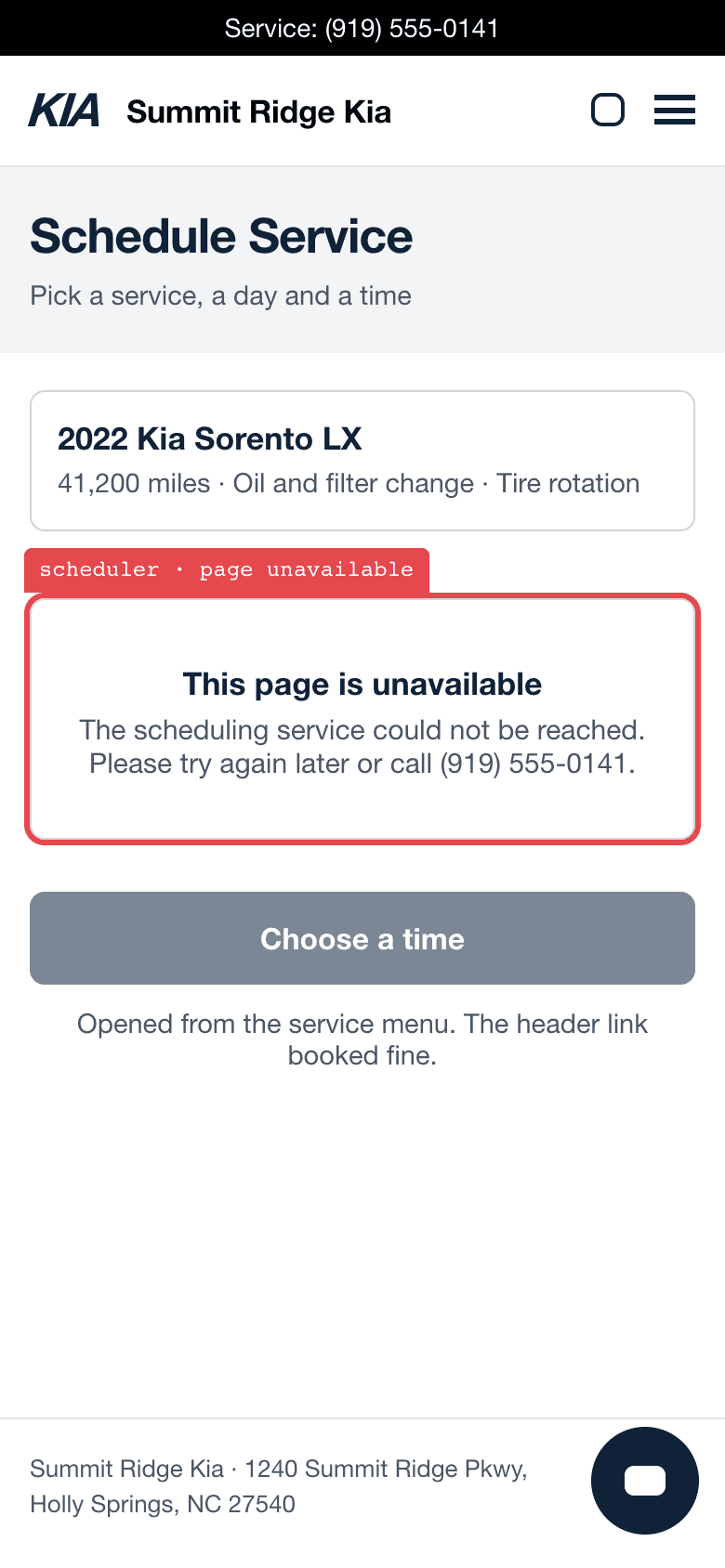
The booking link in the site header took a reservation. The second scheduler, linked from the service pages, opened to “This page is unavailable.”
The capture, in the guideAfter launch, put someone on the follow-up
Agree on the monitoring plan before the first live send. An unanswered question may show up immediately. A reminder with the wrong vehicle may arrive weeks later.
- Choose who reads the whole thread
- Have the BDC manager sample received messages through the last scheduled follow-up. Compare them with the latest reply or sale in the CRM.
- Decide when to act
- Set the review interval around volume, what the tool can promise, and the time between sends. Give the reviewer a direct route to stop a bad sequence.
- Retest after a change
- Keep the failing message and the source record. Repeat that case after a fix, a feed change, or a vendor update before resuming the affected action.
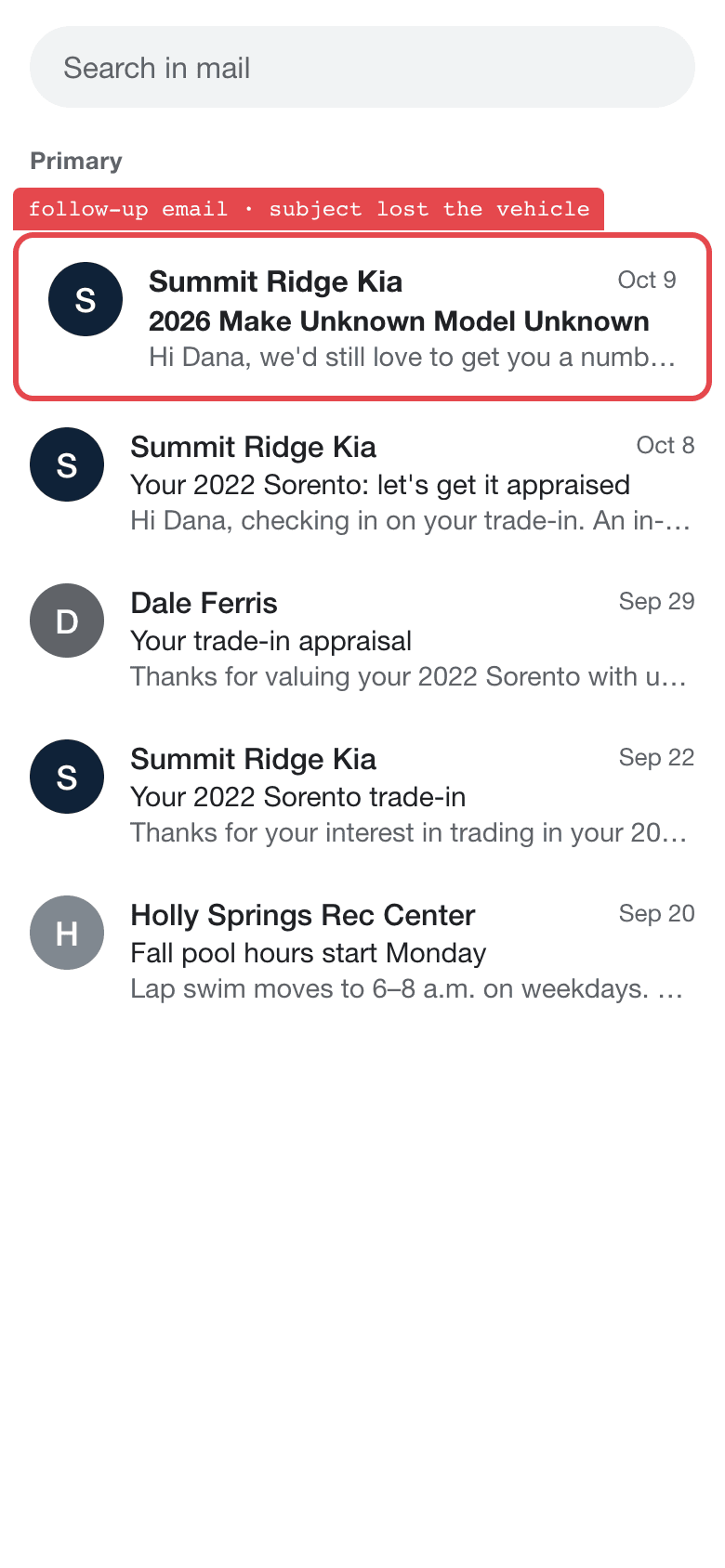
A trade-in inquiry named a 2020 Silverado. The first reply named it too and offered an appraisal. Seventeen days later a follow-up arrived with the subject “2026 Make Unknown Model Unknown.”
The capture, in the guideVendor questions by situation
0 / 12Start with the change you’re considering. Then use the questions for the actions the tool can take.
Before a new purchase
When a feature is added to a tool you own
If the tool replies or sends follow-ups
If the tool books or changes appointments
Copy the vendor questions
Before a new purchase
1. Which store records will you read? Who else receives that data, how long is it kept, and can it be used for training?
2. Who can change our setup? What security review, breach notice, and support can we expect?
3. If the tool quotes the wrong price, who handles the customer and what do the terms cover? If we leave, how do we export our records and verify deletion?

When a feature is added to a tool you own
1. What changed in our account, when did it switch on, and which customers has it reached?
2. Which permissions, data uses, fees, or terms changed from our existing agreement?
3. Can we pause this feature without stopping the CRM or scheduler? Show us who has the switch.

If the tool replies or sends follow-ups
1. Show us the reply for a vehicle that is available, then for the same VIN after it sells. What happens if the inventory feed is stale?
2. What happens to the next queued text when the shopper replies, buys, or opts out? Show us the queue and the test phone.
3. When the tool cannot answer, which employee gets the conversation and what does the shopper hear?

If the tool books or changes appointments
1. Which scheduler record lets the tool tell a shopper the appointment is confirmed?
2. If two shoppers request the last Saturday slot, what does each one see and how many appointments appear?
3. If a customer reschedules or cancels, which reminders are withdrawn and who handles a mismatch?